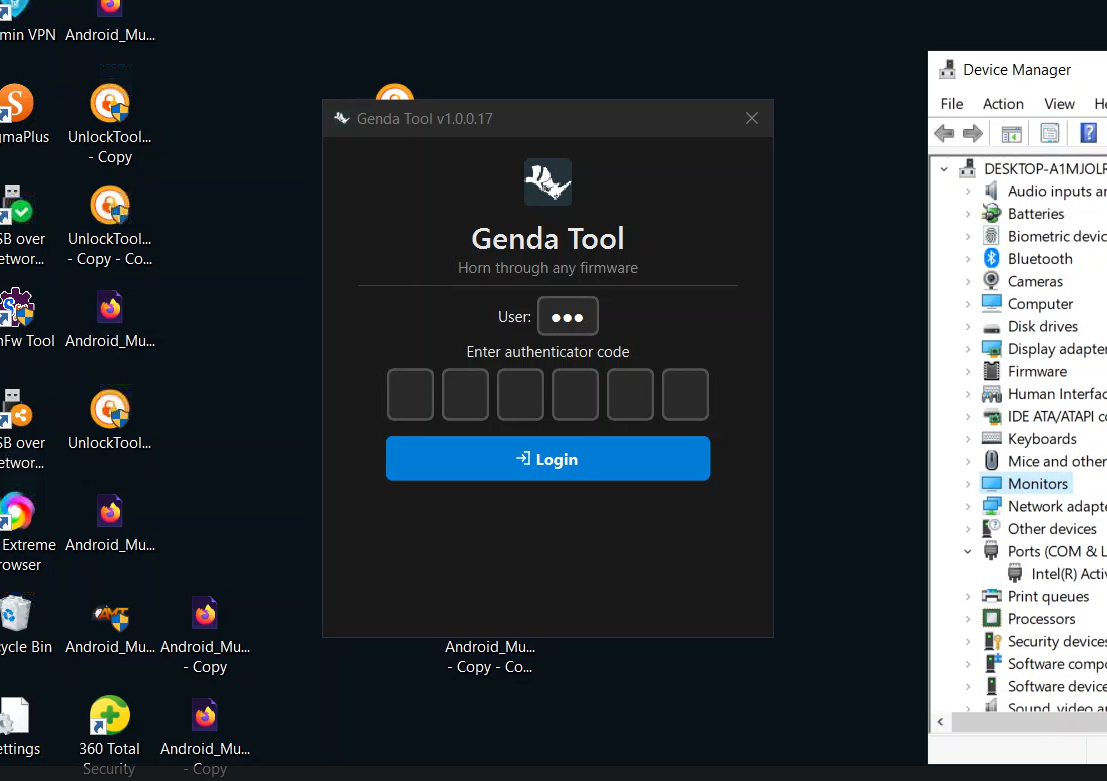
Genda Tool (Vivo): 2026 Unlock & Flash Tool (MTK/Qualcomm)
Genda Tool – Horn Through Any Firmware v1.0.0.17 is the latest authentication-based flashing and unlocking software for Vivo/iQOO phones. In 2026, this tool is making waves because it works with both Qualcomm (QCOM) and MediaTek (MTK) devices, offering features like FRP bypass, pattern unlock, firmware flash, and repair functions. Information about Genda Tool is scarce online, so this guide is the most detailed resource available. We’ll cover:
What Genda Tool does and how it works.
Key features and supported models.
Step-by-step usage (including login and flashing).
Download link (with password) and installation tips.
Pricing model and typical use cases.
+FAQs about Genda Tool (with detailed answers for technicians).
What is Genda Tool?
Genda Tool (v1.0.0.17) is a Vivo specialist utility designed to “horn through any firmware,” meaning it can bypass software locks and flash firmware across different Vivο models. It requires an online login (server-based OTP) and is aimed at technicians who need to service Vivo and iQOO phones. Key supported categories are:
Vivo smartphones (most Y, V, S, X series).
iQOO devices (all major models).
Qualcomm & MediaTek chipsets – any Vivo/iQOO on these chipsets.
Main uses include: FRP bypass (removing Google lock after reset), pattern or PIN unlock, flashing stock firmware, and advanced repair tasks (like fixing partition tables, boot issues, or NV data) in EDL mode. Unlike fully offline tools, Genda Tool’s OTP system means it’s likely licensed per use, similar to professional box-based solutions.
Example: If a Vivo V25 is stuck on the Google verification screen, Genda Tool can connect (via fastboot/EDL) and use its login system to erase the lock, effectively restoring access.
Key Features & Supported Devices
Genda Tool stands out for several reasons:
Latest Security Support: It claims compatibility with Vivo’s newest firmware security patches. This is why technicians are excited – it “horns through” high security levels.
Dual-Chipset Support: Works with both Qualcomm (Snapdragon) and MediaTek Vivo phones. This broad support is rare in one tool.
Online Authentication: Requires a User ID + 6-digit OTP code to login. This server-based model suggests it’s meant for licensed use (likely a paid service).
Auto-Detect Models: The tool can auto-detect the phone model in fastboot or EDL mode, saving time vs. manual selection.
Lightweight: The installer is only ~18 MB, which means a quick download/installation.
Multi-Mode Operations: Supports Fastboot and EDL modes, so it can reboot a device into different states as needed.
Supported Operations:
FRP Bypass: Remove Google factory reset protection on Vivo phones.
Pattern/Password Reset: Unlock screen locks.
Firmware Flash: Install stock firmware (useful for unbricking or updating).
Repairs: GPT partition repair, boot file fix, IMEI/NVRAM repair (common in GSM unlock tools).
Supported Models: Genda Tool likely supports all Vivo phones released up to 2026, including the Vivo Y, V, S series and iQOO models (Z, Neo, GT, etc.). For example, if you have a Vivo Y28 or iQOO Neo on Android 13, Genda should handle it. Always check the tool’s official release notes (if any) for exact model lists.
Why Trending: Technicians are searching terms like “Genda Tool Vivo download” and “vivo genda tool latest” because it’s one of the first tools promising to unlock the newest Vivo security without expensive hardware boxes. The OTP login also means live support or updates might be possible.
How to Use Genda Tool
Below we explain each interface and tab in Genda Tool step-by-step. Screenshots are not provided here, but we describe the UI flow clearly.
1. Login & Authentication
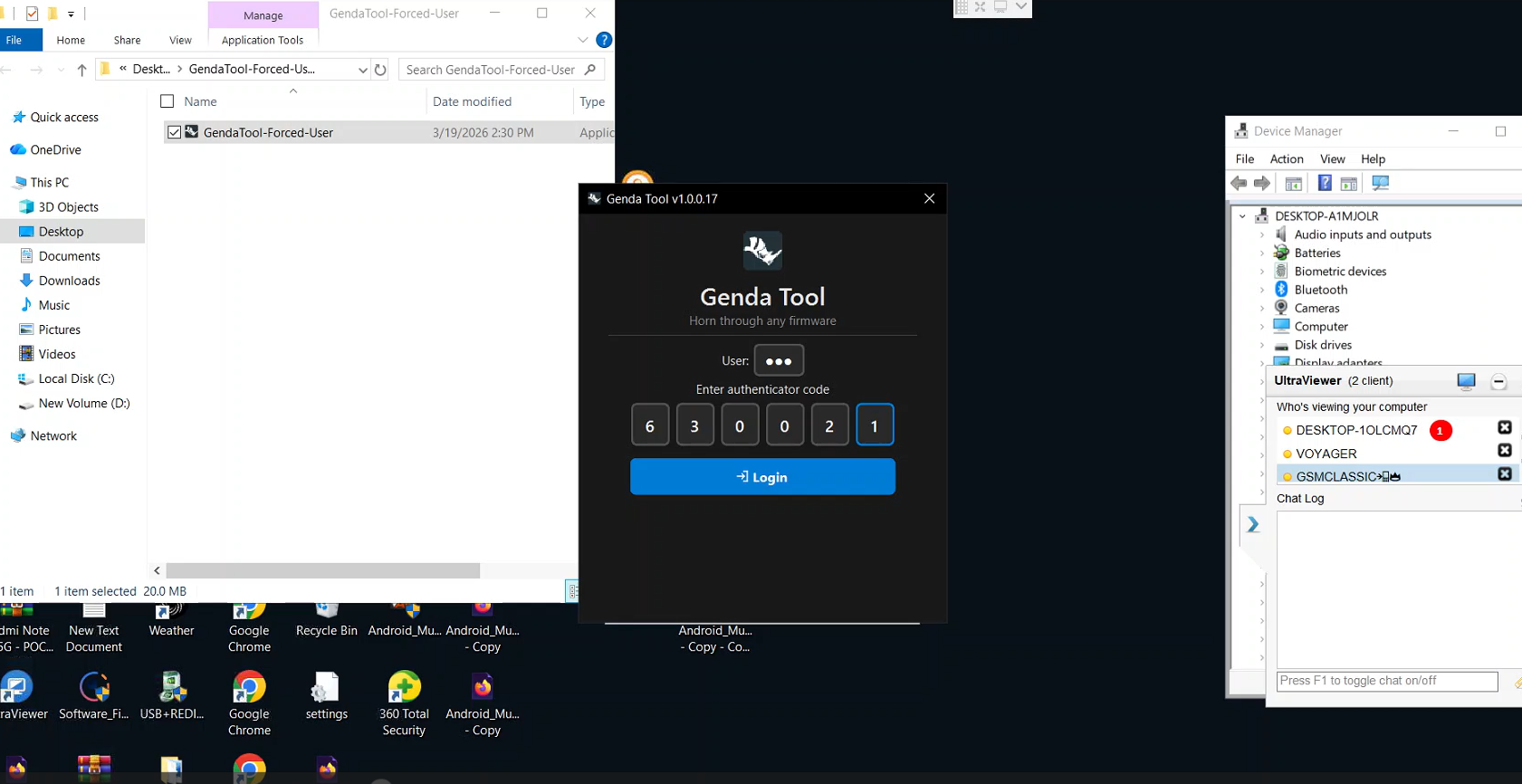
When you launch Genda Tool, the first screen asks for credentials:
User ID (your technician/service account ID).
OTP Code: A 6-digit one-time password (from an authenticator app or SMS) that confirms you have access.
After entering valid credentials and clicking “Login,” the tool connects to the server and unlocks all features. If the OTP is wrong or expired, it will ask again. This means Genda Tool functions on a client-server model, which is common for paid service tools. (For reference, even official OEM service tools like Qualcomm’s QFIL require licensing for full features.)
2. Dashboard After Login
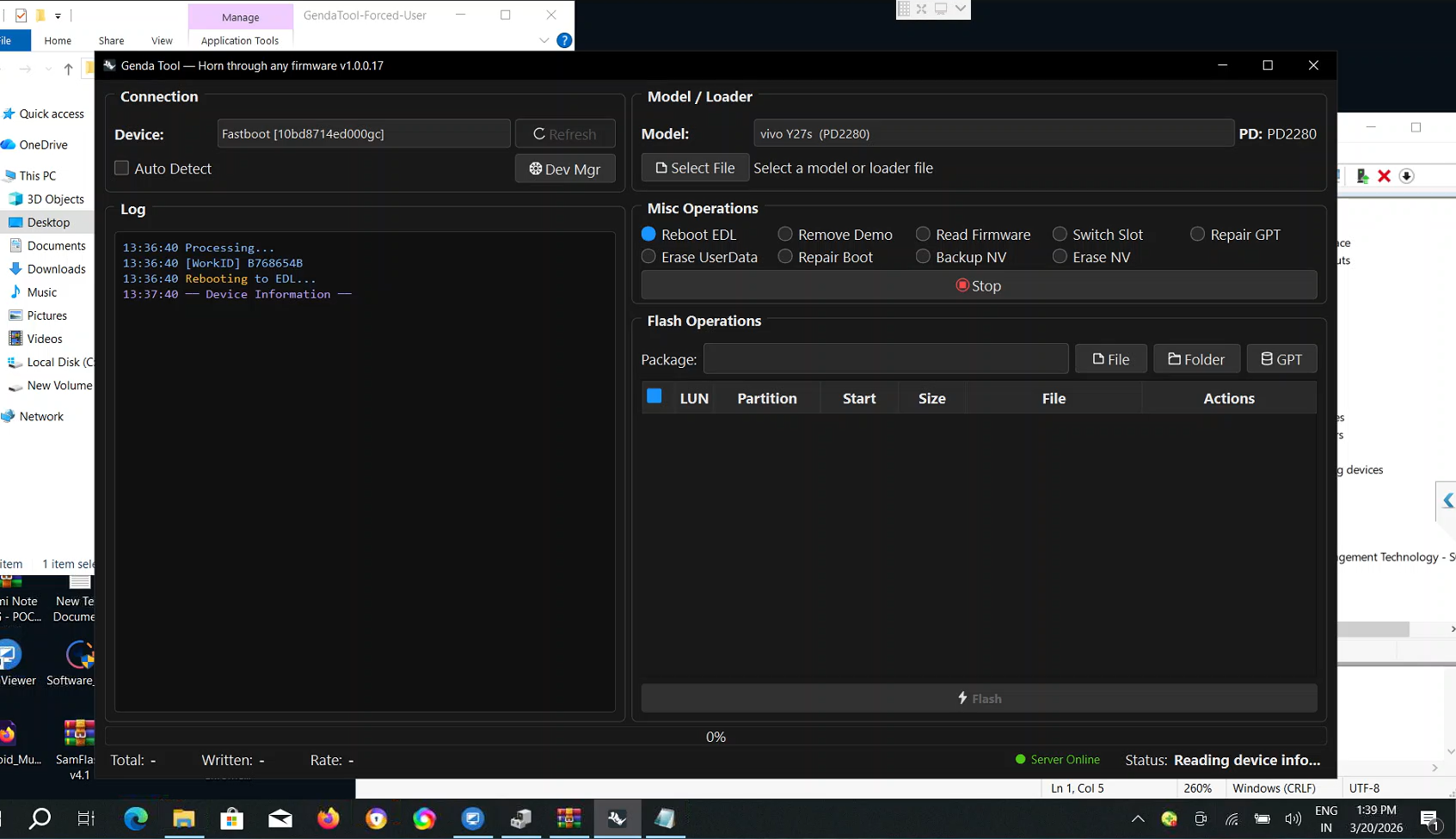
Once logged in, the main dashboard appears with several sections/tabs:
Model/Loader Tab: Here you can either manually select a device model from a list or load a raw “loader” file (useful for some repair tasks). If your device is connected and in fastboot mode, Genda Tool often auto-detects the model.
Misc Operations Tab: Contains miscellaneous repair options (listed below).
Flash Operations Tab: Used for flashing firmware files.
Connection Panel: Shows the device’s current connection mode (Fastboot, EDL, etc.). There’s usually a shortcut to Windows Device Manager for driver issues.
Logs Panel: Displays live status messages for every action, which helps troubleshoot if something fails.
This clear separation of tabs makes it intuitive: choose your mode (fastboot/EDL), then use the appropriate tab for what you want to do.
3. Misc Operations Tab
This is the most powerful section, containing one-click operations that often require a second OTP for each action. Operations include:
Fastboot → EDL Reboot: Reboot the phone from fastboot mode directly into EDL mode (handy if physical buttons are broken).
Remove Demo Mode: Removes manufacturer demo mode if accidentally left on.
Read Firmware: Dumps the phone’s current firmware (partition backup).
Switch Slot (A/B): For phones with A/B partitions, switch active slot (useful on bootloop fixes).
Repair GPT: Fixes corrupted partition tables (critical if the phone says “Invalid Partition” errors).
Erase Userdata: Wipes user data/factory reset (can help if normal reset doesn’t work).
Repair Boot: Restores a broken boot image (if flashing the wrong firmware broke the bootloader).
Backup NV / Erase NV: Reads or wipes NVRAM (IMEI data). Backup is critical before doing any repair. Erase NV is rarely needed but can clear corrupt IMEI info.
Usage: You select the desired operation and click the “Process” button. The tool will often prompt for OTP again to confirm. Then it executes the action and logs progress. For example, to fix a dead phone, a technician might switch slot and repair GPT, each step protected by OTP.
4. Flash Operations Tab
This tab is for flashing stock firmware files onto the device. The process is straightforward:
Load Firmware: Click the button to select the firmware file (e.g. a .pac or similar file for Vivo).
Plug in Device: Connect the phone in EDL mode (the tool should show a COM port or “Qualcomm HS-USB QDLoader”).
Click “⚡ Flash”: The tool begins flashing the firmware automatically.
This is used for tasks like:
Recovering a bootloop by reinstalling factory firmware.
Upgrading or downgrading system software.
Restoring a bricked phone.
Because Genda Tool auto-detects the phone, it chooses the right partition layout. The logs panel will show a success message when flashing completes.
5. Connection & Logs Tabs
Connection Tab: Shows which USB port the device is on and what mode (Fastboot/EDL/Preloader) it’s in. It also has shortcuts to device manager. This helps if the tool “doesn’t see” the phone – you can quickly update drivers.
Logs Tab: Continuously displays status messages, errors, and success info. If something fails (e.g. “fastboot not available” or “write error”), the logs will indicate why. It’s crucial to watch for any “Waiting for device…” or error codes here.
Keeping an eye on these tabs improves success rates and speeds up troubleshooting.
Download & Installation
Genda Tool’s setup is distributed as a ZIP file.
Download Link (official):
Google Drive
password: Contact WhatsApp admin
(Always verify links from trusted sources to avoid malware.)
Installation Steps:
Extract the ZIP to a folder on your PC.
Run
Setup_GendaTool_v1.0.0.17.exe.The installer is ~18 MB and installs quickly.
After installation, run “Genda Tool” from the Start menu.
You’ll need your User ID and OTP to login (this means you cannot login without remote service provider).
Notes: Because it uses online authentication, ensure your PC has internet access when using Genda Tool. Also, you likely need Qualcomm and MediaTek drivers installed for PC to recognize phones. (If not, use the provided “Download Drivers” link on GsmMeta or tech forums to install latest QDLoader and Preloader drivers.)
Pricing & Use Cases
Genda Tool itself isn’t “free”; instead, it’s tied to paid services. In practice:
Technicians or shops might pay ₹2200–₹3000 per device to use Genda Tool to unlock/repair that device. This per-phone fee is comparable to other professional services.
There isn’t a standalone lifetime license like some dongles; it’s more like paying-per-use.
Who Uses Genda Tool?
Repair Shops: Small phone repair shops use it when they have a locked Vivo to fix.
GSM Technicians: Independent technicians on forums or Telegram groups who provide remote unlock services.
Remote Support Centers: Businesses offering online unlocking/flashing for customers (Vivo is popular in Asia, so there’s demand).
Because it’s a paid, professional tool, it’s meant for legal uses only. Always ensure you have owner permission. Misusing phone unlock tools (e.g. for stolen devices) is illegal.
FAQ (Detailed Answers)
Q1: What exactly can Genda Tool do?
A: Genda Tool is a Vivo unlocking and flashing software. It can bypass FRP and screen locks, flash firmware, and perform repair operations on Vivo and iQOO phones with Qualcomm or MediaTek chipsets.
Q2: Is Genda Tool free?
A: No. It operates on a paid-service model. You must log in (User ID + OTP) to use it, and typically technicians pay per-unlock or per-flash.
Q3: Which devices and Android versions does it support?
A: It supports most Vivo models up to 2026, including all recent Y, V, S series and iQOO models on Android 12/13/14/15. Both Qualcomm (e.g. Snapdragon 888, 7-series) and MediaTek (Helio/P Dimensity) devices are covered.
Q4: Why does Genda Tool require an OTP login?
A: The tool is server-based. The OTP system ensures only authorized users (usually paying customers or licensed shops) can access its features. It’s a form of copy-protection and update control.
Q5: Can Genda Tool remove FRP on the latest Android?
A: Yes, videos and user reports show Genda Tool handling FRP bypass on recent Vivo phones (up to Android 15/16). Since it uses official flashing methods, it can remove Google account locks when used properly.
Q6: How is Genda Tool different from other Vivo tools?
A: Unlike free offline tools, Genda Tool is paid and authentication-based. It may support newer firmware and more operations (like slot switching) that older tools don’t. It’s similar in scope to tools like UnlockTool or Chimera but focused only on Vivo/iQOO.
Written by
GsmMeta Admin
Comments (0)
Please sign in to leave a comment
Sign In