

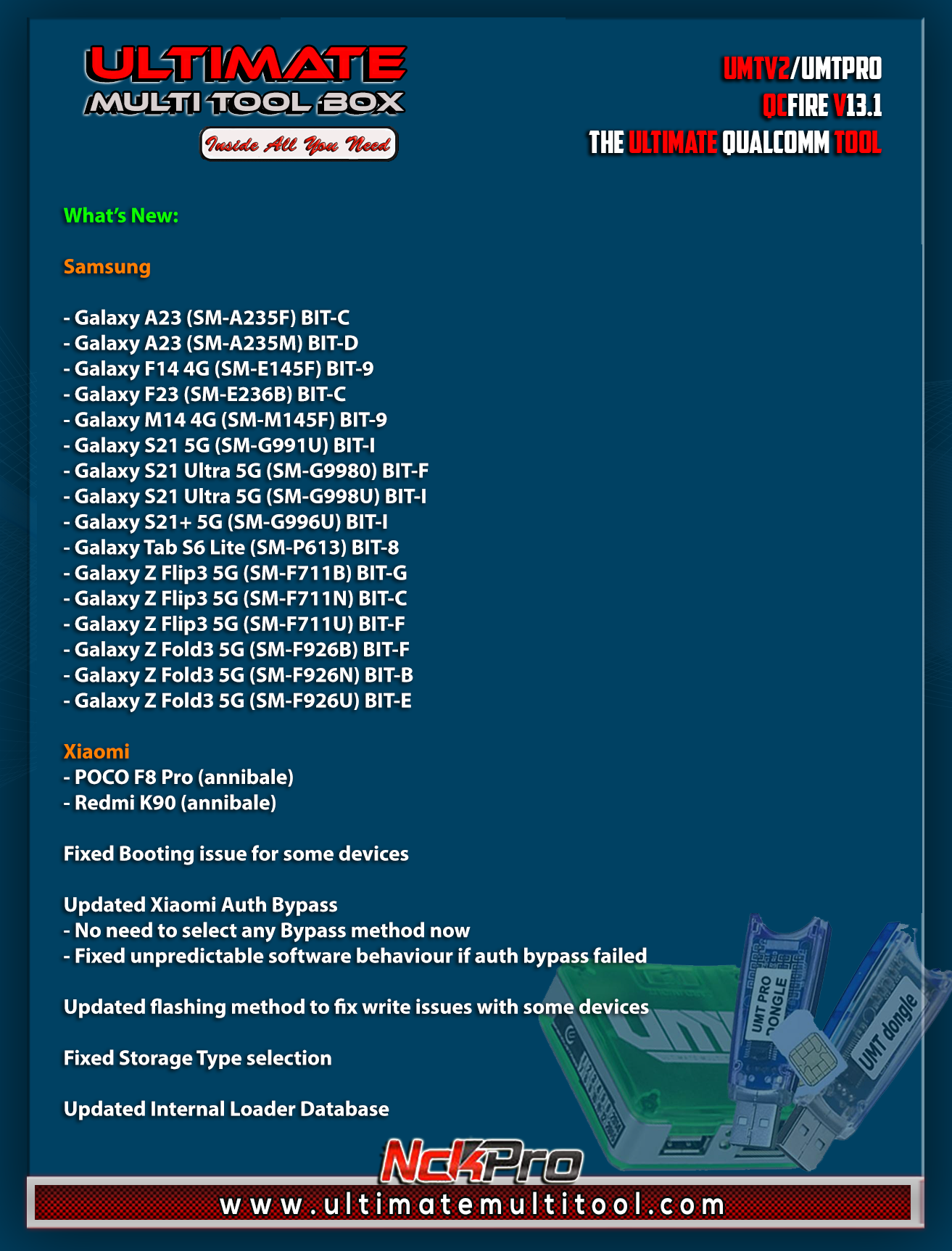
UMTv2 / UMT Pro QcFire v13.1 Released
UMTv2 / UMT Pro QcFire v13.1 Released – [1-02-2026]
Samsung, Xiaomi Support Added & Major Fixes Included
We are pleased to officially announce the release of UMTv2 / UMT Pro QcFire v13.1, the latest update of the Ultimate Qualcomm Tool, dated 31 January 2026.
QcFire v13.1 focuses on expanded Samsung and Xiaomi support, multiple critical fixes, improvements in booting and flashing, and a more stable Xiaomi Auth Bypass mechanism. This update is highly recommended for technicians who rely on UMT Pro Qualcomm servicing, EDL-based operations, and advanced Android repair functions.
If you are looking for the UMT QcFire latest version, UMTv2 / UMT Pro QcFire v13.1 update, or a stable UMT Qualcomm tool for Samsung and Xiaomi, this release should be installed immediately.
🔥 QcFire v13.1 – Supported Functions (Qualcomm Platform)
UMT QcFire v13.1 continues to provide one of the most complete Qualcomm servicing feature sets available today.
Core Firmware & Security Operations
Read / Write Firmware
Backup & Restore QCN
IMEI Repair (FTM / Diag + Flash Mode)
Backup, Reset & Restore Security (EFS)
Reset FRP (Google Factory Reset Protection)
Format UserData
Lock, Pattern & Access Functions
Read Pattern Lock (Android < 6.0, unencrypted only)
Reset Locks (PIN, Password, Pattern without data loss on unencrypted devices)
Disable / Restore Locks for Encrypted Userdata
Enable Diag Mode (OEM Unlock required, may not work on BL-locked devices)
Reboot to EDL from Fastboot
Xiaomi Advanced Services
Reset / Disable Mi Account
Factory Reset via Sideload Mode
Xiaomi EDL Locked Device Service
Bootloader Unlock in EDL Mode (supported models)
Xiaomi Free Auth Service (Bypass)
Mi Account Reset without Relock
Mi Account Patch during Flashing (EDL / Fastboot)
Xiaomi Auth Bypass using UMT Server
Xiaomi Flashing in Fastboot Mode
Xiaomi Temporary Bootloader Unlock
Xiaomi Enable Diag (No Root Required)
Xiaomi Sideload Reset FRP / Mi Account
Xiaomi Sideload Firmware Update
Xiaomi IMEI Repair for RSA Protected Phones
Xiaomi Wipe EFS in Sideload Mode
Samsung, Vivo, Huawei & Other OEM Functions
Samsung MDM Unlock in EDL Mode
Samsung Lost Mode Reset (EDL Mode)
Samsung KG Bypass
Samsung Unbrick / Dead Boot Repair
Samsung TAR-to-Unbrick Firmware Creator
Huawei ID Reset
Universal Huawei ID Reset
Vivo Lock Reset (Encrypted Userdata)
Unique Vivo Reset Locks for Protected Devices
Vivo Functions in Fastboot Mode
Additional Advanced Features
Motorola Boot Repair
One-Click Root in EDL Mode (Generic Qualcomm Devices)
Forensic Functions (Read Contacts & Messages in EDL Mode)
Nokia NB0 Factory Firmware Direct Flashing in EDL Mode
Oppo OFP Firmware Extraction
Oppo / Realme / OnePlus VIP Bypass
➡️ QcFire v13.1 remains one of the most powerful and feature-rich Qualcomm tools bundled with UMTv2 / UMT Pro Dongle.
✅ Newly Added Supported Models
Samsung (Qualcomm)
Galaxy A23 (SM-A235F) – BIT C
Galaxy A23 (SM-A235M) – BIT D
Galaxy F14 4G (SM-E145F) – BIT 9
Galaxy F23 (SM-E236B) – BIT C
Galaxy M14 4G (SM-M145F) – BIT 9
Galaxy S21 5G (SM-G991U) – BIT I
Galaxy S21 Ultra 5G (SM-G9980) – BIT F
Galaxy S21 Ultra 5G (SM-G998U) – BIT I
Galaxy S21+ 5G (SM-G996U) – BIT I
Galaxy Tab S6 Lite (SM-P613) – BIT 8
Galaxy Z Flip3 5G (SM-F711B) – BIT G
Galaxy Z Flip3 5G (SM-F711N) – BIT C
Galaxy Z Flip3 5G (SM-F711U) – BIT F
Galaxy Z Fold3 5G (SM-F926B) – BIT F
Galaxy Z Fold3 5G (SM-F926N) – BIT B
Galaxy Z Fold3 5G (SM-F926U) – BIT E
Xiaomi
POCO F8 Pro (annibale)
Redmi K90 (annibale)
🛠 Fixes, Improvements & Updates in QcFire v13.1
Fixed booting issues for some devices
Updated Xiaomi Auth Bypass:
No need to manually select bypass method
Fixed unpredictable behavior when auth bypass fails
Updated flashing method to resolve write issues on certain devices
Fixed Storage Type selection problems
Updated Internal Loader Database
🧪 Included Legacy Version for Testing
This setup package also includes QcFire v12.8 (QcFire128.exe).
👉 If you face issues with QcFire v13.1, you can:
Test the same operation using QcFire 12.8
Submit logs from both versions to help developers identify and fix the issue faster
🔌 Samsung EDL Connection Method (Important)
For newer Samsung Qualcomm devices, follow the updated EDL connection procedure already shown in the tool log:
Hold VOL UP + VOL DOWN on the device
Hold the EDL cable button
Insert the cable while holding the EDL button
Rapidly press VOL UP + VOL DOWN together
After 3+ presses, release the EDL button but continue pressing volume keys
Stop once the device connects in EDL Mode
On newer firmware, 10–20 rapid presses may be required
🔐 UMT Card Manager Notice
Please use UMT Card Manager to:
Update card counter
Update firmware
Activate add-ons
(Available via Support Access)
🧯 Additional Fix
Fixed “Forbidden Application Detected” error
🚀 Download links for all UMT DONGLE setups?
Go and download all UMT Dongle tools from:
Download UMT Dongle Setup | QcFire v13.1 | GSM Meta
Buy UMT activation 1 year Renewal Instant
UMT Activation - 1 Year Renew - Box / Dongle - Direct Instant - GsmMeta
Written by
GsmMeta Admin
Comments (0)
Please sign in to leave a comment
Sign In